
4K IPTV in the USA: Sharper Picture, Same Simple Plans
What 4K IPTV really needs to look great: the right channels, the right device and enough internet speed. Here is the honest version.

4K IPTV can look spectacular on a big TV: sharper players on the field, crisper text on the score bug, and far more detail in movies. But 4K only looks its best when three things line up: a channel or title that's actually in 4K, a device that decodes it properly, and an internet connection fast enough to carry it. This page explains each piece, so you know what to expect before you order 4K IPTV USA service from anyone.
What 4K IPTV actually means
4K (also called Ultra HD or UHD) is a resolution of 3840 × 2160 pixels, four times the pixels of Full HD. With IPTV, 4K streams are delivered over your internet connection like any other channel, but they carry much more data.
Not every channel is broadcast in 4K. Many networks still produce most of their programming in HD, and upscale it to 4K on your TV. That's why every good 4K IPTV service offers FHD and HD versions of channels alongside the 4K ones.
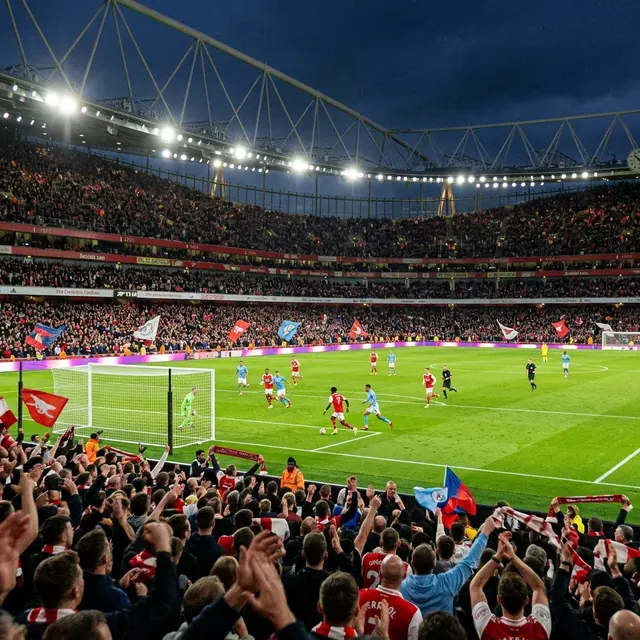
What you get with our 4K IPTV plans
- 4K versions of channels and titles where the source offers 4K.
- FHD and HD versions of channels, so you can switch if your connection dips.
- A full TV guide so you can see what's on in 4K tonight.
- Setup help to make sure your device and app are configured for 4K playback.
Every plan, from 3 months to 24 months, includes the same 4K content. There's no 4K surcharge.
Internet speed for 4K IPTV
The FCC's broadband speed guide lists about 25 Mbps for 4K streaming. That's per screen, and it assumes a steady connection. A few practical notes from our support chats:
- Speed tests can mislead. A test run next to the router on your phone doesn't tell you what the TV gets across the house.
- Stability beats speed. A steady 40 Mbps wired connection usually plays 4K better than 300 Mbps over congested Wi-Fi.
- Peak hours matter. Sunday afternoons and weekday evenings are when neighborhood networks are busiest.
The best devices for 4K IPTV
| Device | 4K support | Notes |
|---|---|---|
| Fire TV Stick 4K Max | Yes (HDR10, HDR10+, Dolby Vision) | Great value; add an Ethernet adapter |
| Apple TV 4K | Yes (HDR10, Dolby Vision) | Very smooth; built-in Ethernet on the 128 GB model |
| NVIDIA Shield TV | Yes | Excellent with TiviMate |
| Chromecast with Google TV (4K) | Yes | Good budget option |
| Recent Samsung / LG 4K TVs | Yes | Use IBO Player Pro; no extra device needed |
Device specifications change between models, so check your exact model's specs before buying new hardware. Amazon publishes Fire TV device specifications if you want the details.
Getting the sharpest 4K picture
- Use the HDMI port labeled 4K or HDMI 2.0/2.1 on your TV, and a high-speed HDMI cable.
- Set your streaming device's output to 4K in its display settings (and enable match frame rate if available).
- Turn on hardware decoding in your IPTV app's player settings.
- Pick the 4K version of the channel in the guide. It's usually labeled 4K or UHD.
- Use a picture mode made for movies on your TV, rather than "vivid" or "dynamic".
When FHD is the smarter choice
If your connection is under about 25 Mbps, or your TV is on Wi-Fi far from the router, the FHD version of a channel will usually look better than a 4K stream that keeps buffering. On screens under 50 inches, the difference between good FHD and 4K is hard to see from the couch. There's no shame in FHD: a smooth picture always beats a sharp one that stops.
4K IPTV and HDR
4K is about resolution; HDR (high dynamic range) is about brighter highlights and richer colors. Most live TV channels, even in 4K, are delivered in standard dynamic range, while some movies in the on-demand library may carry HDR. Whether you see HDR depends on the title, your device and your TV. On a Fire TV Stick 4K Max or Apple TV 4K, turning on the "match dynamic range" option lets the TV switch to HDR only when the content actually supports it.
Common 4K IPTV myths
"Every channel is 4K." No service can honestly say that, because most channels aren't produced in 4K.
"You need gigabit internet." You don't. About 25 Mbps per 4K screen is the common guideline. Stability matters more than the number on your bill.
"4K always looks better." Only if it plays smoothly. A buffering 4K stream looks worse than a steady FHD one.
"Any HDMI cable works." For 4K at higher frame rates, use a cable rated High Speed or Premium High Speed.
Keep those in mind and you'll get the most out of 4K IPTV on the big screen, without paying for upgrades you don't need.
Is 4K IPTV worth it for you?
If you have a TV of 55 inches or more, a 4K streaming device and a wired or strong Wi-Fi connection, yes: sports and nature content in particular look noticeably better. If your TV is smaller or your internet is modest, FHD will give you a great picture and fewer interruptions. Either way, you get both with every plan, so you can switch per channel and decide for yourself.
4K IPTV plans and pricing
All plans include 4K where available, from $4.58 per month on the 24-month plan. Compare all four on our IPTV subscriptions page, or read about IPTV for sports if game day is your main reason for going 4K.
Plans & pricing
Pick your plan
Same channels and library in every plan. Pay once, no auto-renewal, order on WhatsApp.
3 Months
$11.67 per month · 1 device
Ninety days of live TV, sports, movies and series. A low-commitment way to test IPTV before you cancel cable.
- Live TV, sports, movies and series
- 4K, FHD and HD streams
- TV guide (EPG) included
- Works on Fire TV, Apple TV, Smart TVs, phones
- Setup help on WhatsApp
- No contract, no auto-renewal
6 Months
$7.50 per month · 1 device
Six months of live TV, sports, movies and series for one upfront price. Covers a full season with room to spare.
- Live TV, sports, movies and series
- 4K, FHD and HD streams
- TV guide (EPG) included
- Works on Fire TV, Apple TV, Smart TVs, phones
- Setup help on WhatsApp
- No contract, no auto-renewal
12 Months
Most popular$5.42 per month · 1 device
Our most popular plan: a full year of live TV, sports, movies and series at a low monthly cost.
- Live TV, sports, movies and series
- 4K, FHD and HD streams
- TV guide (EPG) included
- Works on Fire TV, Apple TV, Smart TVs, phones
- Setup help on WhatsApp
- No contract, no auto-renewal
24 Months
Best value$4.58 per month · 1 device
Two full years of live TV, sports, movies and series. The lowest cost per month of any plan.
- Live TV, sports, movies and series
- 4K, FHD and HD streams
- TV guide (EPG) included
- Works on Fire TV, Apple TV, Smart TVs, phones
- Setup help on WhatsApp
- No contract, no auto-renewal
FAQ
Frequently asked questions
Are all channels available in 4K?
No. Only channels and titles that are produced or delivered in 4K are available in 4K. Every channel has FHD or HD versions, and 4K versions are listed separately where they exist.
What internet speed do I need for 4K IPTV?
About 25 Mbps per screen, according to the FCC. A steady wired connection matters more than a high number on a speed test.
Which Fire TV Stick is best for 4K IPTV?
The Fire TV Stick 4K Max. It has a faster processor and newer Wi-Fi than the basic models. Add an Ethernet adapter for the steadiest 4K playback.
Does 4K cost extra?
No. 4K content is included in every plan at no extra charge.