
IPTV Service Providers: How to Tell a Reliable One from the Rest
There are hundreds of IPTV service providers selling to US viewers. Here is how to check one before you pay, and how we measure up.

Search for IPTV service providers and you'll find hundreds of nearly identical websites, each promising the most channels and the best uptime. Most of them resell the same kinds of streams, so the real differences are in the details: how stable the service is on a busy Sunday, how good the TV guide is, how fast support replies, and what happens if it doesn't work on your TV. This guide walks through those details so you can compare providers with your eyes open.
What IPTV service providers actually do
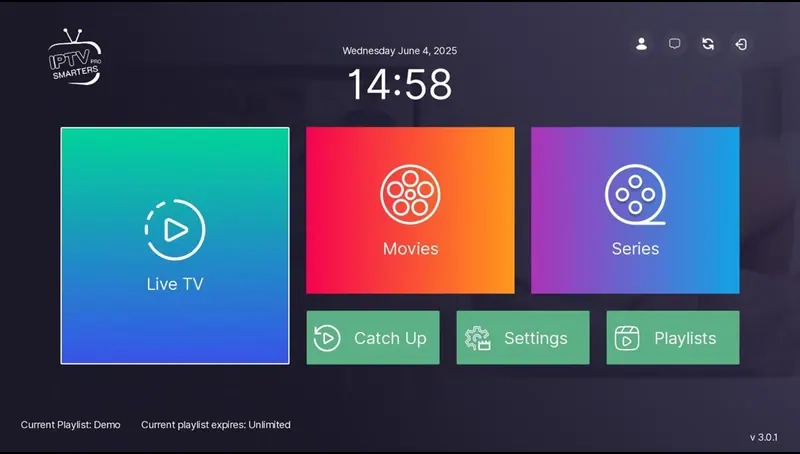
An IPTV provider gives you a login that connects an IPTV player app to a server delivering live channels, a TV guide and an on-demand library. The provider manages the streams and the accounts. The app (TiviMate, IPTV Smarters Pro, IBO Player and so on) is usually made by a separate developer.
That split matters. If the picture freezes, it can be the provider's server, your internet connection, or the app. Good providers help you figure out which one it is instead of blaming your Wi-Fi by default.
Seven things to check in IPTV service providers
- Stability at peak times. Anyone can stream smoothly at 10 a.m. on a Tuesday. Ask how the service holds up during a big game or a Sunday night.
- A working TV guide. An EPG with missing or wrong program times makes the service feel broken even when streams are fine.
- Device support. Can they help you set up your specific device, whether that's a Fire TV Stick, Apple TV, Samsung TV or MAG box?
- Real support. Send a message before buying and time the reply. That's the support you'll get later.
- Clear refund terms. A refund policy you can read before paying is a good sign. "No refunds" is not.
- Honest pricing. Crossed-out prices that never existed and endless countdown timers are red flags.
- No auto-renewal surprises. Check whether the plan renews on its own and how to stop it.
Red flags to watch for
- Impossible numbers. Channel and movie counts that change from one section of the page to the next.
- "#1" claims with no source. Anyone can call themselves number one.
- Reviews with no dates or names, or badges from review sites that don't link anywhere.
- Claims of official partnerships with networks or leagues. Resellers aren't licensed partners of major networks, and saying so is misleading.
- Payment only through untraceable methods with no confirmation of what you're buying.
How we compare as one of the US IPTV providers
We'd rather show you than tell you, so here's how IPTV Subscriber handles each point on that checklist:
| What to check | How we handle it |
|---|---|
| Stability | Streams are monitored around the clock. Report a channel and we check it right away. |
| TV guide | EPG included on every plan, shown as a full grid in TiviMate and IBO Player. |
| Devices | Step-by-step help for Fire TV, Apple TV, Android TV, Samsung, LG, phones, PC and MAG. |
| Support | Real people on WhatsApp, 24/7. |
| Refunds | If it doesn't work on your device and we can't fix it, you can ask for a refund within 7 days. |
| Pricing | One price per plan, from $4.58/month. No fake "was" prices. |
| Renewal | Never automatic. |
Questions to ask IPTV service providers before paying
Copy these into a message to any provider you're considering, including us. The answers tell you a lot:
- Which app do you recommend for my device, and will you help me set it up?
- How many devices can stream at the same time on one plan?
- What happens if a channel I watch stops working?
- Do you have a written refund policy?
- Does the plan renew automatically?
Internet speed: the part no provider controls
Even the best IPTV service providers can't fix a weak home connection. The FCC's broadband speed guide lists about 25 Mbps for 4K streaming, and much less for HD. If your speed is borderline, a wired Ethernet connection to the TV and the FHD version of each channel will give you a much steadier picture than 4K over Wi-Fi.
Switching between IPTV service providers
If you're unhappy with your current service, switching is easier than most people think. The app on your TV doesn't belong to the provider, so you usually keep the same app and just add a new playlist:
- Keep your current plan running until the new one is set up and tested.
- Add the new login as a second playlist in TiviMate, IPTV Smarters Pro or IBO Player.
- Test during your busiest viewing time, for example a Sunday afternoon game or prime time.
- Rebuild your favorites in the new playlist once you're happy with it.
- Remove the old playlist when the old plan ends.
Customers who switch to us usually mention the same problems with their previous IPTV service providers: the guide was incomplete, the streams froze during big games, or support stopped answering. Those are exactly the things to test in your first week with any new provider.
What US IPTV providers can and can't promise
A good provider can promise monitored streams, a working guide, fast support and honest terms. No provider can honestly promise that every channel will be available forever, that nothing will ever buffer on any internet connection, or that it is officially licensed by major networks. Be wary of anyone who does.
Where to go from here
If you want the long version of this checklist, with more detail on uptime, EPG and refund terms, read our guide to the best IPTV service. To see what's included with us, compare our IPTV subscriptions, or message us on WhatsApp with your device and ask anything. We'll answer the same questions we'd want answered before paying any of the IPTV service providers out there.
Plans & pricing
Pick your plan
Same channels and library in every plan. Pay once, no auto-renewal, order on WhatsApp.
3 Months
$11.67 per month · 1 device
Ninety days of live TV, sports, movies and series. A low-commitment way to test IPTV before you cancel cable.
- Live TV, sports, movies and series
- 4K, FHD and HD streams
- TV guide (EPG) included
- Works on Fire TV, Apple TV, Smart TVs, phones
- Setup help on WhatsApp
- No contract, no auto-renewal
6 Months
$7.50 per month · 1 device
Six months of live TV, sports, movies and series for one upfront price. Covers a full season with room to spare.
- Live TV, sports, movies and series
- 4K, FHD and HD streams
- TV guide (EPG) included
- Works on Fire TV, Apple TV, Smart TVs, phones
- Setup help on WhatsApp
- No contract, no auto-renewal
12 Months
Most popular$5.42 per month · 1 device
Our most popular plan: a full year of live TV, sports, movies and series at a low monthly cost.
- Live TV, sports, movies and series
- 4K, FHD and HD streams
- TV guide (EPG) included
- Works on Fire TV, Apple TV, Smart TVs, phones
- Setup help on WhatsApp
- No contract, no auto-renewal
24 Months
Best value$4.58 per month · 1 device
Two full years of live TV, sports, movies and series. The lowest cost per month of any plan.
- Live TV, sports, movies and series
- 4K, FHD and HD streams
- TV guide (EPG) included
- Works on Fire TV, Apple TV, Smart TVs, phones
- Setup help on WhatsApp
- No contract, no auto-renewal
FAQ
Frequently asked questions
How do I know if an IPTV provider is reliable?
Message them before buying and see how fast and how clearly they answer. Then check for a written refund policy, honest pricing without fake discounts, and whether the plan renews automatically.
Are US IPTV providers different from international ones?
The technology is the same. What matters for US viewers is a lineup built around US channels, a TV guide in Eastern and Pacific time, and support that is awake when you are watching.
Why do IPTV providers ask for payment on WhatsApp or chat?
Many smaller providers take orders by chat so they can confirm the plan and device before you pay. Always get the price and plan confirmed in writing before paying.
Can I switch providers without changing my app?
Yes. Apps like TiviMate and IPTV Smarters Pro work with any provider. You just add the new login as a new playlist.