
Best IPTV Service 2026: An Honest Buyer's Guide for US Viewers
How to find the best IPTV service 2026 has to offer for your home: what to check, what to test in your first week, and the red flags to avoid.
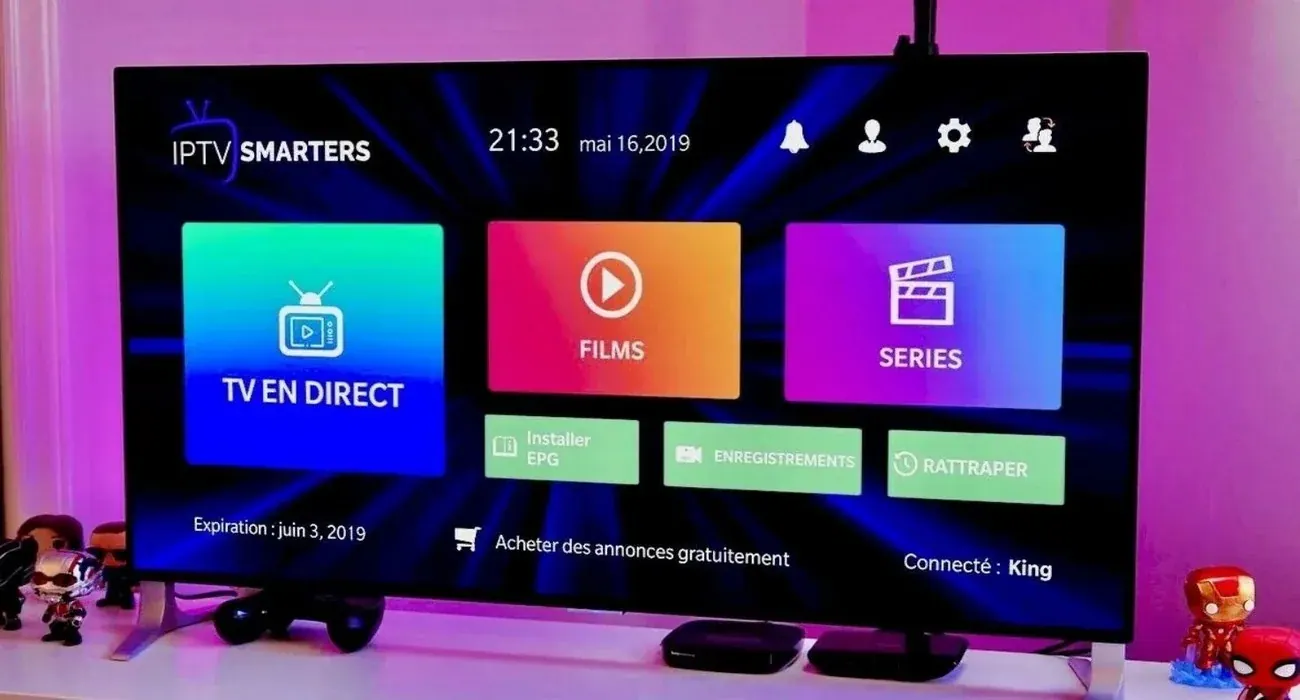
Looking for the best IPTV service 2026 has to offer? You've probably noticed that every "top 10" list ranks a different company first, and most of them are written by the companies being ranked. This guide takes a different approach. We are an IPTV provider ourselves, so instead of pretending to be neutral, we'll give you the checklist we'd want if we were buying: what actually separates a good service from a frustrating one, how to test a provider in your first week, and which warning signs mean you should keep looking. Then you can judge us by the same rules.
How we wrote this guide
We're not going to rank competitors by name. We don't have inside access to other providers' servers, and any ranking we published would be marketing dressed up as research. What we can share honestly is what we've learned from our setup chats with US customers: what they complain about after leaving other services, which questions they wish they'd asked, and which details matter on a Sunday afternoon when the game is on.
Use this guide to evaluate any provider, including us. If a service passes every point below, it's a strong candidate for the best IPTV provider for your household, whatever its name is.
The best IPTV service 2026 checklist
If you're short on time, here's the whole guide in ten points. The best IPTV service for you should:
- Stay stable during peak hours, not just quiet ones.
- Include a complete, accurate TV guide (EPG).
- Carry the kinds of channels your household actually watches.
- Offer 4K where available, with FHD and HD fallbacks.
- Support your exact devices and recommend a specific app for each.
- Answer pre-sales questions quickly and clearly.
- Show one honest price, with no fake "was" prices.
- Explain clearly whether the plan renews automatically.
- Publish a refund policy you can read before paying.
- Avoid claims of official network or league partnerships.
The sections below explain each point and how to check it.

1. Stability and uptime: the first test of the best IPTV service 2026
Almost every provider claims "99.9% uptime." Very few explain how they measure it, and none of them can show you. What you can check is how a service behaves at the times you actually watch.
IPTV load isn't flat. It spikes on Sunday afternoons during football season, on big fight nights, during playoff games and in the evening prime-time window across US time zones. A service that plays perfectly at 11 a.m. on a Wednesday can fall apart at 4:25 p.m. on a Sunday if the provider has sold too many logins for its capacity.
How to check it: start with a short plan and watch during your busiest viewing time in the first week. Pick the channels you care about most and leave one running for an hour. Occasional brief hiccups happen on any internet service; repeated freezing on the same channels at the same times is a capacity problem, and it won't get better on its own.
What good providers do: monitor streams continuously, keep an eye on popular channels during big events, and respond quickly when a customer reports a specific channel. Ask any provider what happens when a channel stops working. "Restart your router" as the only answer is a bad sign.
2. The TV guide (EPG) makes or breaks the experience
After stability, the guide is the second thing that separates the best IPTV service 2026 viewers can buy from the rest.
The electronic program guide is what turns a long list of channels into something that feels like TV. With a good EPG, you can scroll a grid, see what's on now and next, and plan your evening. Without one, you're guessing.
Common EPG problems include missing listings for whole categories, program times shifted by a few hours (usually a time zone mismatch), and guides that stop updating after a few days.
How to check it: after setup, open the guide in an app that shows a full grid, such as TiviMate on Android TV or IBO Player on a Smart TV. Scroll through your top ten channels. The listings should be there, and the times should match your local time zone.
If you're on Pacific or Mountain time, ask the provider how their guide handles your time zone. Most apps let you shift EPG times, but the best IPTV service 2026 viewers can find should get it right without extra fiddling.
3. A lineup that fits your household
A giant channel count means little if the channels you watch aren't there, or appear five times with three of them broken. Instead of chasing the biggest number, make a short list of what your household actually watches:
- Local news and your local network affiliates.
- The sports you follow, including regional coverage if you follow a local team.
- Kids' channels, if you have kids at home.
- Spanish-language channels, if anyone in the house prefers them.
- The on-demand movies and series you'd otherwise pay a separate app for.
Then ask the provider directly whether those specific channels are included. A good provider answers honestly, including "no, we don't carry that one." Channel lineups can change over time for any service, so it's reasonable to ask how they handle that.
4. Picture quality: 4K, FHD and HD
4K looks fantastic when everything lines up, but it's only as good as the source, your device and your connection. Many channels are still produced in HD, so a service offering "all channels in 4K" is stretching the truth.
What you want is a service with genuine 4K versions where the source supports it, and clean FHD and HD versions of every channel so you can drop down when your connection is busy. On a TV under 50 inches, a steady FHD stream often looks just as good from the couch. Read more on our 4K IPTV page.
5. Device and app support
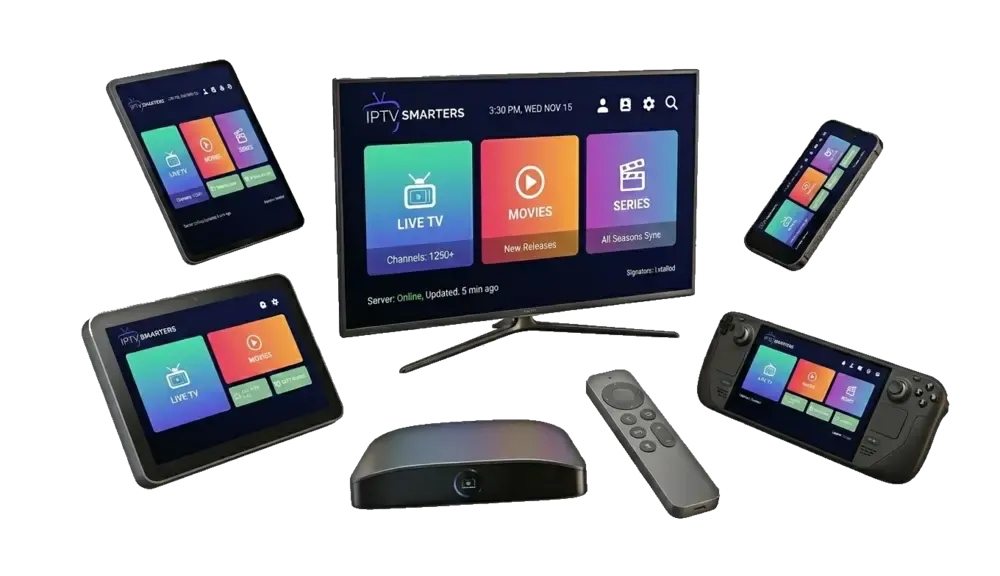
Almost every provider says "works on all devices." What you need is a provider that can tell you exactly which app to use on your device and walk you through it. Here's what we recommend, as a baseline to compare against:
| Device | Recommended app | Setup guide |
|---|---|---|
| Fire TV Stick / Fire TV | TiviMate or IPTV Smarters Pro (via Downloader) | Fire TV Stick guide |
| Android TV / Google TV | TiviMate | TiviMate guide |
| Apple TV | iPlayTV or Smarters Player Lite | Apple TV apps compared |
| Samsung / LG Smart TV | IBO Player Pro | Guided on WhatsApp |
| iPhone / Android | Smarters Player Lite / IPTV Smarters Pro | Guided on WhatsApp |
| MAG box | Built-in portal | Guided on WhatsApp |
Also ask how many devices can stream at the same time. Many plans, including ours, cover one device streaming at a time. That's fine as long as it's stated clearly before you pay.
6. Support you can actually reach
Support is where the best IPTV service 2026 shoppers can find really proves itself, usually in the first week.
Every IPTV service has problems sometimes: an app update changes a menu, a new router causes buffering, a TV needs a different player. What separates the best IPTV providers from the rest is how quickly and clearly they help.
How to check it: send a pre-sales question before you buy. Ask which app they recommend for your specific TV. Time the reply and judge the answer. Is it specific, or a copy-paste? The support you get before paying is usually the best you'll ever get from that provider, so if it's slow or vague now, expect worse later.
7. Pricing, renewals and refund terms
Price comparisons between IPTV services are only fair if you compare the same things. Look at:
- Total price and price per month over the whole plan.
- Auto-renewal. Does the plan charge you again automatically? At what price?
- Screens included. One device at a time, or more?
- Refund terms. Is there a written policy, and what does it cover?
Be skeptical of crossed-out prices. Under US advertising rules, a "was" price should be a price the seller actually charged. A service that shows permanent 60% discounts and a timer that resets every time you reload the page is telling you something about how it operates.
For comparison, here's our pricing: plans from $4.58 per month on the 24-month plan, one device per plan, paid once, no auto-renewal, and a refund if the service doesn't work on your device and we can't fix it within 7 days. See all plans on our IPTV subscriptions page.
8. Honesty signals and red flags
You can learn a lot about a provider from its own website before you ever talk to it. Signs of a trustworthy service:
- Consistent numbers across the site. If the channel count changes from section to section, question everything else too.
- Clear legal pages: terms, privacy, refund policy and a DMCA policy.
- Reviews with real names, dates and details, or no reviews at all rather than fake ones.
- A way to contact a real person before paying.
Red flags:
- "#1 IPTV provider" or "best in the USA" with no source.
- Network, league or studio logos used as if the provider were an official partner.
- Review badges that don't link to a real profile.
- Pressure tactics: countdown timers, "only 3 spots left," fake live-purchase pop-ups.
The US Federal Trade Commission publishes advertising and marketing guidance covering fake reviews, fake discounts and unsupported claims. It's written for businesses, but it's a useful guide for spotting marketing you shouldn't trust.
9. Legal and safety questions
IPTV as a technology is legal. It's how many mainstream services deliver live TV over the internet. The legal question is about content: streaming channels or programs without permission from the rights holders is not legal. No reseller we know of is licensed by the major US networks or leagues, and any provider claiming an official partnership is misleading you. We aren't affiliated with any network, league or studio, and we say so plainly.
On safety: never type your full card number into a chat message, get the plan and price confirmed in writing before paying, and install apps only from sources you trust. A VPN isn't required for IPTV, though some people use one if their internet provider slows down video traffic.
The best IPTV service 2026 for different viewers
There's no single winner for everyone, because households watch differently. Here's what to prioritize depending on who you are:
- Sports fans: peak-time stability comes first, then fast channel switching and 4K where available. The best IPTV service 2026 can offer a sports fan is one that doesn't freeze in the fourth quarter. See our page on IPTV sports.
- Families: an easy app, favorites for each person, kids' channels and the option of a second plan for a second TV.
- Movie and series lovers: a well-organized on-demand library and an app with good artwork and resume support.
- Seniors and first-time users: patient support and a simple, cable-like guide matter more than any feature list.
- Budget-first viewers: compare the price per month over the whole plan, and check for auto-renewal. Our page on cheap IPTV explains what to watch for.
Best IPTV provider questions to ask before paying
Send these to any provider you're considering. The answers, and how quickly they come, tell you most of what you need to know:
- Which app do you recommend for my exact device?
- How many screens can stream at once on one plan?
- Is the TV guide included, and does it match my time zone?
- Does the plan renew automatically?
- What is your refund policy, in writing?
- What happens if a channel I watch stops working?
If a provider answers all six clearly, it belongs on your shortlist for the best IPTV service 2026 has to offer. If it dodges any of them, keep looking.
How to test a provider in your first week
A short plan is the cheapest way to find the best IPTV service 2026 can offer your home. Here's a simple test plan for the first seven days:
- Day 1: install the recommended app on your main TV. Note how long setup takes and how helpful support is.
- Day 2: build a favorites list of your ten most-watched channels. Check that each one plays and has guide data.
- Day 3: test the on-demand library. Start a movie, pause it, come back later and resume.
- Days 4–5: watch during your busiest time: a big game, a Sunday afternoon or prime time. Leave a channel on for an hour.
- Day 6: try a second device, like your phone or the bedroom TV, and confirm the login works there too.
- Day 7: send support a real question and see how they handle it.
If a service passes that week, it will very likely serve you well for the months ahead.
Best IPTV streaming service setup at home
Even the best IPTV service can't overcome a weak home setup. A few changes make a bigger difference than switching providers:
- Wire your main TV. An Ethernet cable, or an Ethernet adapter for a Fire TV Stick, solves most buffering.
- Check your speed where the TV is, not next to the router. The FCC's broadband speed guide lists about 25 Mbps for 4K streaming.
- Use a capable device. A Fire TV Stick 4K Max, Apple TV 4K or NVIDIA Shield decodes streams more smoothly than older sticks and many built-in TV apps.
- Keep apps updated and clear the app cache every few months.
Best IPTV service USA viewers can compare us against
Since we asked you to judge every provider by the same checklist, here's how IPTV Subscriber answers it:
| Checklist item | IPTV Subscriber |
|---|---|
| Stability at peak times | Streams monitored around the clock; reported channels checked right away |
| TV guide | Included on every plan |
| Picture quality | 4K where available, plus FHD and HD |
| Devices | Fire TV, Apple TV, Android TV, Samsung, LG, phones, PC, Mac, MAG |
| Support | Real people on WhatsApp, 24/7 |
| Price | From $4.58/month, paid once |
| Auto-renewal | Never |
| Refund policy | Refund within 7 days if it doesn't work on your device and we can't fix it |
| Official partnerships claimed | None, because we don't have any |
We think that makes a strong case, but the best IPTV service 2026 can offer you is the one that passes your first-week test at home. That's why we suggest new customers start with the 3-month plan.
Choosing your plan after comparing the best IPTV service 2026 options
If our answers match what you're looking for, pick the plan length that fits you. Every plan has the same service:
- 3 months for $35: the first-week test and then some.
- 6 months for $45: a full sports season.
- 12 months for $65: our most popular plan.
- 24 months for $110: the lowest price per month.
Still have questions? Message us on WhatsApp and ask anything on this checklist. You can also read our guides to choosing IPTV service providers and what premium IPTV should mean. Whatever you choose, use the checklist. It's the most reliable way to find the best IPTV service 2026 has for your home.
Plans & pricing
Pick your plan
Same channels and library in every plan. Pay once, no auto-renewal, order on WhatsApp.
3 Months
$11.67 per month · 1 device
Ninety days of live TV, sports, movies and series. A low-commitment way to test IPTV before you cancel cable.
- Live TV, sports, movies and series
- 4K, FHD and HD streams
- TV guide (EPG) included
- Works on Fire TV, Apple TV, Smart TVs, phones
- Setup help on WhatsApp
- No contract, no auto-renewal
6 Months
$7.50 per month · 1 device
Six months of live TV, sports, movies and series for one upfront price. Covers a full season with room to spare.
- Live TV, sports, movies and series
- 4K, FHD and HD streams
- TV guide (EPG) included
- Works on Fire TV, Apple TV, Smart TVs, phones
- Setup help on WhatsApp
- No contract, no auto-renewal
12 Months
Most popular$5.42 per month · 1 device
Our most popular plan: a full year of live TV, sports, movies and series at a low monthly cost.
- Live TV, sports, movies and series
- 4K, FHD and HD streams
- TV guide (EPG) included
- Works on Fire TV, Apple TV, Smart TVs, phones
- Setup help on WhatsApp
- No contract, no auto-renewal
24 Months
Best value$4.58 per month · 1 device
Two full years of live TV, sports, movies and series. The lowest cost per month of any plan.
- Live TV, sports, movies and series
- 4K, FHD and HD streams
- TV guide (EPG) included
- Works on Fire TV, Apple TV, Smart TVs, phones
- Setup help on WhatsApp
- No contract, no auto-renewal
FAQ
Frequently asked questions
What is the best IPTV service in the USA?
The one that passes a real test in your home: stable during your busiest viewing time, a complete TV guide, support for your devices, fast human support, honest pricing and a written refund policy. Start with a short plan and test it for a week.
How do I choose between IPTV providers?
Send each one the same pre-sales questions, compare total price and price per month, check whether plans auto-renew, read the refund policy, and avoid providers that claim official partnerships with networks or leagues.
Are IPTV rankings trustworthy?
Be careful. Many rankings are written by the providers themselves or by affiliates paid per sale. Use a checklist and your own first-week test instead.
What is a fair price for a good IPTV service?
Prices vary widely. Our plans start at $4.58 per month on the 24-month plan. Very low prices that auto-renew or come without support often cost more in the end.